We helped bring LiDAR support to QGIS from scratch - designing the rendering pipeline, processing algorithms, Virtual Point Cloud format, and the first interactive 3D editing tools. Every feature ships in mainline QGIS.
Together with Hobu and North Road, we built the foundation of native QGIS point cloud support. Our work ensures that advanced processing and classification tools are shipped in the mainline release, offering a stable and scalable solution for the community.
Native point cloud layer (QGIS 3.18)
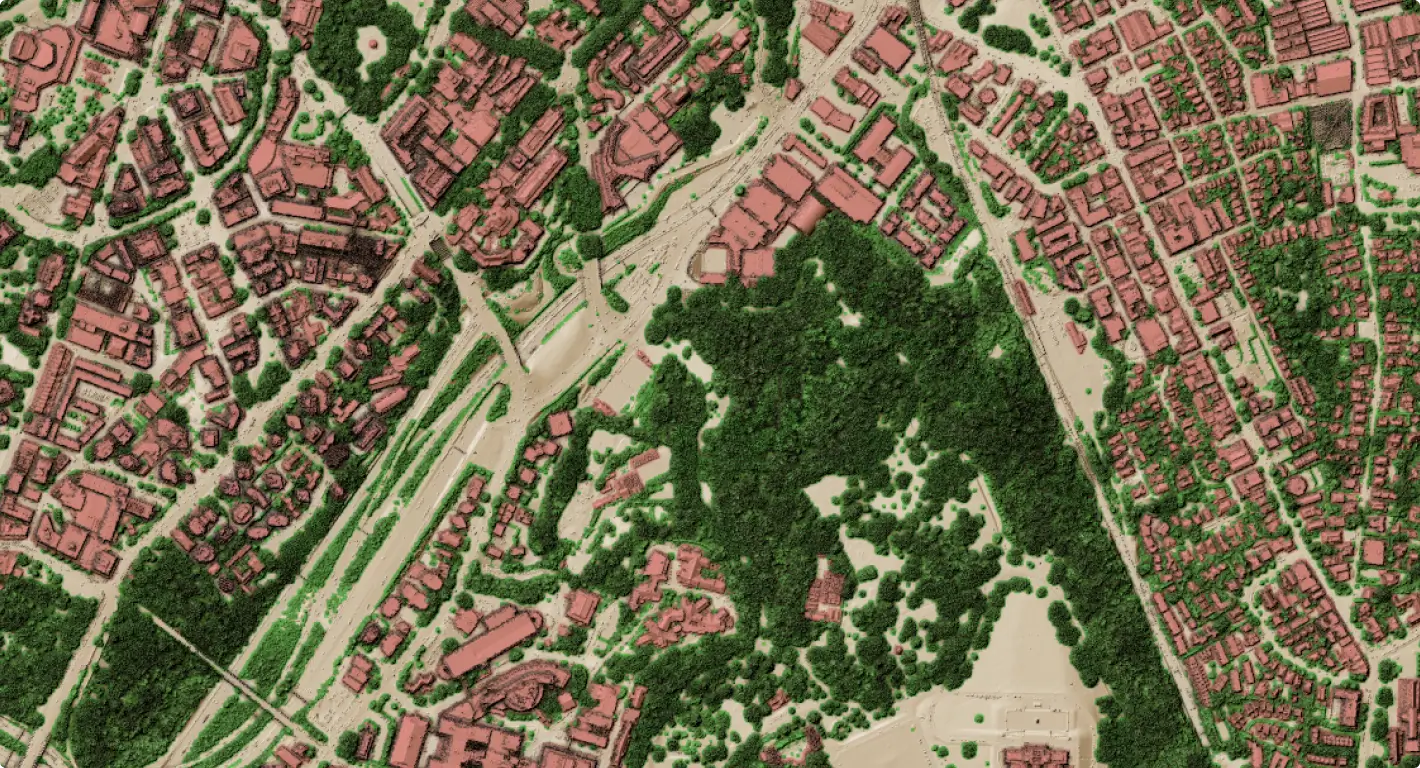
Before QGIS 3.18, LiDAR data required external conversion or specialist software. We implemented point clouds as a first-class QGIS layer type - drag-and-drop loading, automatic internal indexing, and full integration with the layer panel and identify tool.
Reads EPT, COPC, LAZ, LAS, and remote streaming sources
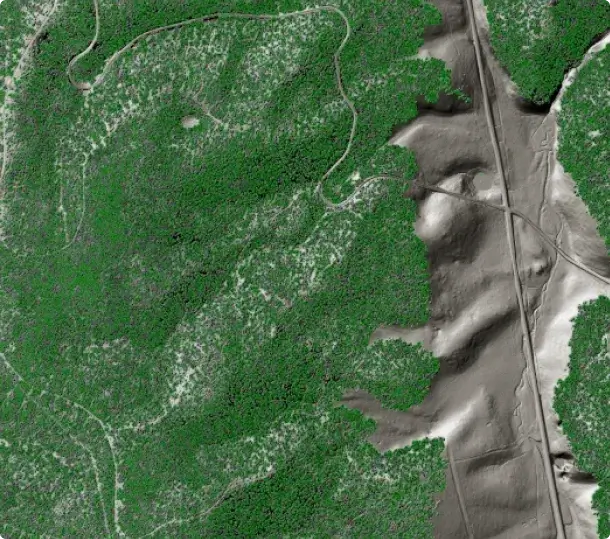
Multiple styling modes: classification, elevation, RGB, intensity, return number
Eye-dome lighting (EDL) for depth perception without surface normals
Hierarchical level-of-detail: fast overview at any zoom level
Point identification and attribute inspection per point
Advanced 3D rendering capabilities
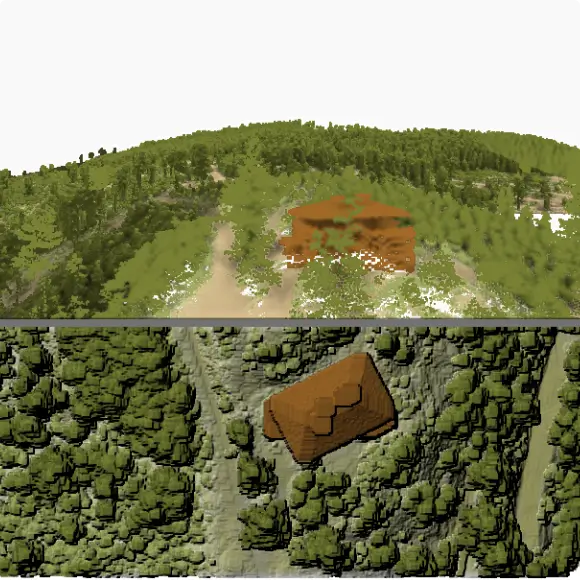
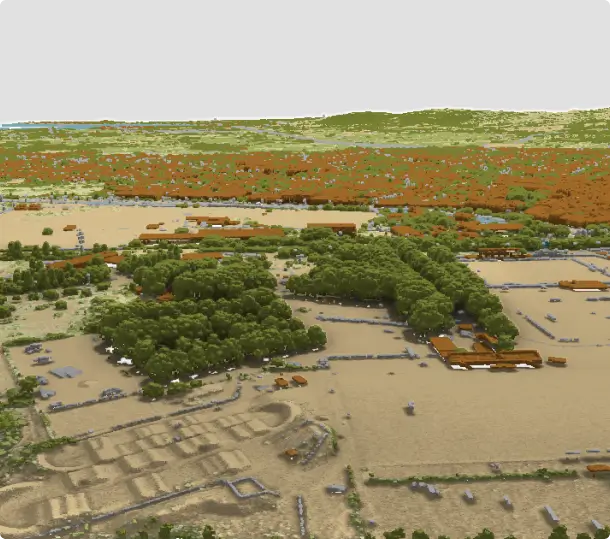
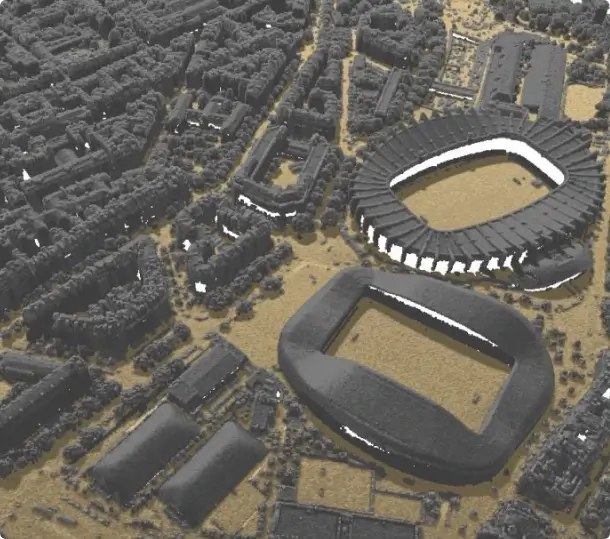
QGIS delivers advanced rendering and styling for point clouds in both 2D and 3D views:
Per-class point size and opacity for selective emphasis
Solid surface rendering - triangulated TIN overlay in 2D and 3D
Hillshade rendering of surface model directly from point cloud
2D to 3D camera synchronisation for coordinated navigation
Unified styling: 2D renderer automatically reflected in 3D view
24+ native processing algorithms
QGIS 3.32 introduced a complete suite of point cloud processing algorithms, powered by PDAL - the industry-standard point cloud library. All algorithms are available directly inside the QGIS Processing Toolbox: scriptable, batchable and composable into models, bringing capabilities to open-source GIS that were previously only possible with specialist command-line tools.
Export: to raster (DTM/DSM), to vector polygons/lines, format conversion
Clip & filter: clip by polygon, filter by attribute or classification
Analyse: density maps, boundary extraction, statistics
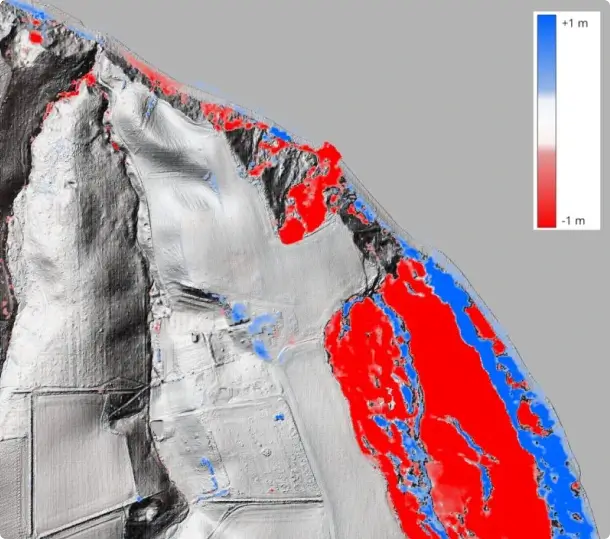
Compare: direct cloud-to-cloud difference computation
Parallel multi-core processing
Full model builder and batch processing support
Virtual Point Cloud (VPC)
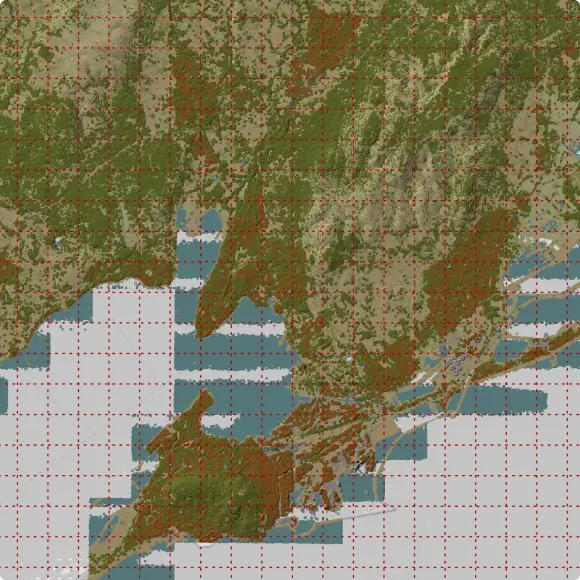
A national LiDAR survey can consist of thousands of LAZ tiles. Virtual Point Cloud (VPC) is a lightweight index file that wraps any collection of point cloud files into a single QGIS layer, with automatic overviews for fast display at country scale without loading the full dataset.
Single “.vpc” file references any number of LAZ/COPC tiles
Automatic spatial index and overview for fast rendering at any zoom
Works with local files, cloud storage, and HTTP-hosted tiles
COPC streaming: load a remote point cloud tile-by-tile without downloading
Compatible with all processing algorithms - run operations on the full survey
Interactive 3D editing tools
QGIS 3.42 introduced the first interactive point cloud editing tools. Operators can select, inspect, and reclassify points directly in the 3D view using spatial selection tools, replacing costly round-trips through specialist software for classification QA and correction workflows.
Select by Polygon: draw a 3D polygon to select points
Select by Paintbrush: paint points with an adjustable brush radius
Select Above / Below Line: split scenes by elevation at a drawn line
Modify classification attribute on selected points in one step
3D Profile view for precise vertical selection in cross-section
Full undo/redo support; writes directly to COPC format
Crowdfunding campaigns
Each campaign defined a roadmap, secured community funding, and delivered every committed feature into the QGIS main branch on schedule.
Native support for point cloud in QGIS
In 2020, Lutra Consulting together with North Road and Hobu ran a crowdfunding campaign to bring native point cloud support to QGIS. The campaign raised enough funding from the QGIS community, and the feature shipped in QGIS 3.18. It introduced a dedicated point cloud layer type powered by PDAL, with 2D and 3D visualisation, classification-based styling, and eye-dome lighting laying the groundwork for everything that followed.
Improvements to point cloud processing
Building on the success of the initial campaign, Lutra Consulting, North Road, and Hobu returned in 2021 with a follow-up focused on making point cloud and elevation data genuinely useful in day-to-day workflows. The campaign exceeded its stretch goal and delivered a range of improvements in QGIS 3.26: a unified profile tool that works across raster, vector, mesh, and point cloud layers, cloud-optimised point cloud (COPC) support, GUI-based filtering, eye-dome lighting in 2D, and ambient occlusion for 3D views. Where the first campaign planted the flag, this one made the tools production-ready.
3D editing tools for point clouds
The third campaign, which ran through late 2022, shifted focus from visualisation to actually doing things with point cloud data. The team integrated PDAL processing directly into the QGIS Processing toolbox, giving users tools to merge, tile, reproject, and export point clouds to raster or vector without leaving QGIS. The headline addition was Virtual Point Cloud support: the ability to load dozens or hundreds of LAS/LAZ files as a single layer, making large LiDAR datasets manageable for the first time. The elevation profile tool also gained print layout support and CSV and DXF export, rounding out a campaign that turned point clouds from something you could look at into something you could work with.
Our expertise in QGIS and Point Clouds
Collaboration with PDAL developers
We built the foundational point clouds framework for QGIS, moving beyond simple viewing to integrate full visualisation, processing, and editing capabilities. By establishing this core support, we enabled the open-source community to work natively with massive LiDAR datasets in both 2D and 3D for the first time.
Code is one piece of the work
To bring native point cloud support to QGIS, Lutra Consulting and North Road teamed up with Hobu Inc., the experts behind PDAL. This collaboration integrated point clouds as a native data type. Now, you can load, style, and query LAZ, EPT and COPC files directly in 2D or 3D and process the data.
Real-world scale experience
We have worked on point cloud workflows ranging from single-site surveys to national LiDAR programmes covering entire countries. Virtual Point Cloud was designed specifically to handle terabyte-scale datasets on standard hardware. We know where the performance and accuracy bottlenecks lie.
From idea to QGIS core
We handle the heavy lifting of software development so our sponsors don't have to. From the initial scoping and funding through to coding, peer reviews, and long-term support, we manage the entire lifecycle of a project. Our track record includes delivering custom solutions for national mapping authorities, environmental agencies, and urban planners across Europe and worldwide.
Let us help take your point cloud data to the next level in QGIS
Whether you need a new processing algorithm, improvements to classification workflows, large-scale survey support, or a custom LiDAR pipeline built on open-source tooling — get in touch to discuss co-funding or bespoke development.
By clicking “Accept All Cookies”, you agree to the storing of cookies on your device to enhance site navigation, analyze site usage, and assist in our marketing efforts. View our Cookie Policy for more information. Deny cookies here.